Deployment
Where it runs.
On your people's computers and on your servers. This page says what is supported today, what each piece needs, and what is not offered.
01The platform
One program on each person's computer.
The same program serves the desktop app, the browser and the phone. Today it is a beta for Windows 11; the installer is signed and sets up WSL 2, where the agents run.
What it needs
- System
- Windows 11, 64-bit
- WSL 2
- Set up by the installer
- Disk
- About 10 GB
- Network
- An internet connection, for setup and for sign-in
- macOS and Linux desktop apps
- Planned
02Servers
A Linux server joins the same list.
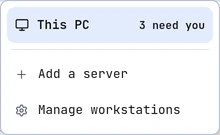
Add a server by its SSH address, after a fingerprint check, or through a tunnel. It shows the same workspaces, agents, terminals, Inbox and spend, and its agents keep working when your own computer is off.
- Linux servers, added by SSH address with a fingerprint check
- A tunnel route instead of SSH
- The same workspaces, agents, terminals, Inbox and spend
- Work keeps running when your own computer is off
03Computers for agents
A screen of its own for an agent that needs one.
A Windows Sandbox is a clean Windows, erased when the agent stops. The agents' VM, Windows or Linux, keeps programs and sign-ins. A Linux Sandbox runs on Docker with a sealed network. Nothing an agent does there reaches your screen, keyboard or mouse, and you can take over and hand back.
- Windows Sandbox: a clean Windows, erased when the agent stops
- The agents' VM: Windows or Linux, keeping programs and sign-ins
- Linux Sandbox on Docker, with a sealed network
- Take over and hand back
04Phone and second computer
Reach your agents away from the desk.
The phone app is an installable web app, paired with a one-time code. It reaches your computer over the same Wi-Fi, Tailscale, a Cloudflare Tunnel or your own address. A second computer opens the same workspaces in a browser, on Pro and Enterprise.
- Phone: an installable web app, paired with a one-time code
- Routes: the same Wi-Fi, Tailscale, Cloudflare Tunnel or your own address
- A second computer with the same workspaces, on Pro and Enterprise
- Native iOS and Android appsPlanned
05Models
Your accounts, your providers.
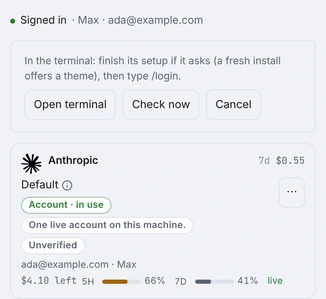
Each agent CLI uses your own subscription or API key, and each Assistant the provider you connect with your key. Local models, through Ollama, LM Studio or llama.cpp, work for Assistants, Pi and Omp. The account still needs a connection: running with no internet is not offered.
- Each agent CLI uses your own subscription or API key
- Assistants: the provider you connect with your key
- Local models through Ollama, LM Studio or llama.cpp, for Assistants, Pi and Omp
- Running with no internet connectionNot offered
06Rollout
What IT needs across many computers.
Updates arrive signed, and a person confirms each one. The app works through an outbound proxy; a proxy that inspects TLS must exempt cognix.ws. A company administrator assigns named people to the seats bought. Unattended setup, central policy and SSO are planned.
- Signed updates, a person confirms each
- Works through an outbound proxy
- Company seats assigned by an administrator
- Unattended setup, central policy, SSOPlanned
Start on one computer, or talk to us.
Create your free account to run agents today. Pro is for one person who works with agents every day. For Enterprise, per named user, talk to us with your engineering and security leads.