What is running, what it shipped, and what it cost.
For the person who answers for what ships: one list of agents, a review before every merge, and what it all cost.
Which agents are running, on what, and what did they ship?
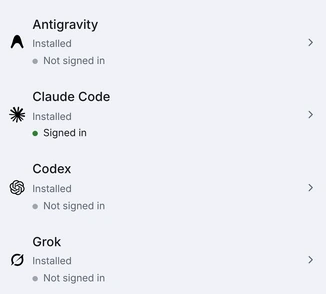
One list shows every agent on this computer and on the servers you linked, with its state and, where it keeps one, its plan. What an agent made is a branch you review or an artifact you open. The list is each person's own today; a view across a team is planned.
How do we keep quality when agents write the code?
A second agent CLI, never the author's own, reads the change in a read-only checkout, and its findings are recorded. By default a person presses merge, and a review lock can refuse a merge while a finding is open.
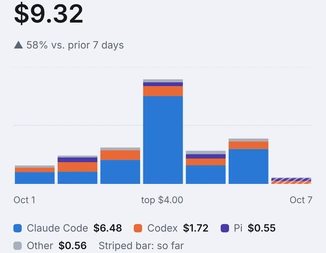
Analytics shows spend by CLI, model and workspace, and whether a plan or an API key paid. The models are billed by your providers, on your own subscriptions and keys: COGNIX[WS] does not resell them.
For the people who install it and keep it running: Windows today, Linux servers, signed updates, and backups that are rehearsed.
Where does it run?
The desktop app runs on Windows 11, with the agents inside WSL 2, which the installer sets up. A Linux server joins over SSH or a tunnel, and its agents keep working when a person's computer is off.
The Windows installer is signed, and it answers with exit codes that winget and Intune read. An update arrives as a signed manifest that is checked before anything runs, and a person confirms the install. Unattended first-run setup is planned.
Scheduled snapshots of the platform's own data, each one verified; your repositories stay your source of truth and are not part of it. Copies go to a folder, S3-compatible storage, Google Drive or rclone, encrypted under a recovery password only you hold; the first copy, on the same computer, is not encrypted. A recovery is rehearsed every week, and only a person restores.
For the reader who can stop the purchase: every connection, who decides what, what is on record, and the limits, stated.
What leaves our machines?
By default the app connects to your model providers, to cognix.ws for the account and for updates, and to public catalogues. Prompts, conversations, code, files and keys are never sent to cognix.ws. What an agent's own tools reach is your network's to allow, and yours to contain.
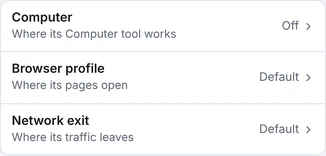
Tools are granted to each agent when it is created. Some doors answer only a person: pairing a device, changing who has access, approving a held change, restoring a backup. Most settings are each person's own today; SAML SSO, SCIM, roles and central policy are planned.
Activity and spend are kept on the computer, and every message between agents is readable. Events are kept seven days and Computer steps ninety. The record is local and not tamper-evident, so signed webhooks can send events to your own systems.
The app runs as the person's OS user: it is an operating layer around the agent CLIs, not a sandbox for them. There is no SOC 2 report, no ISO/IEC 27001 certificate and no external penetration test yet. The Security page states eleven limits.
Create your free account to run agents today. Pro is for one person who works with agents every day. For Enterprise, per named user, talk to us with your engineering and security leads.